

Captain’s Guide · 03
Point and attack
Pick your target and issue the order from the deck.
Explore the system ↓From aim to command
01
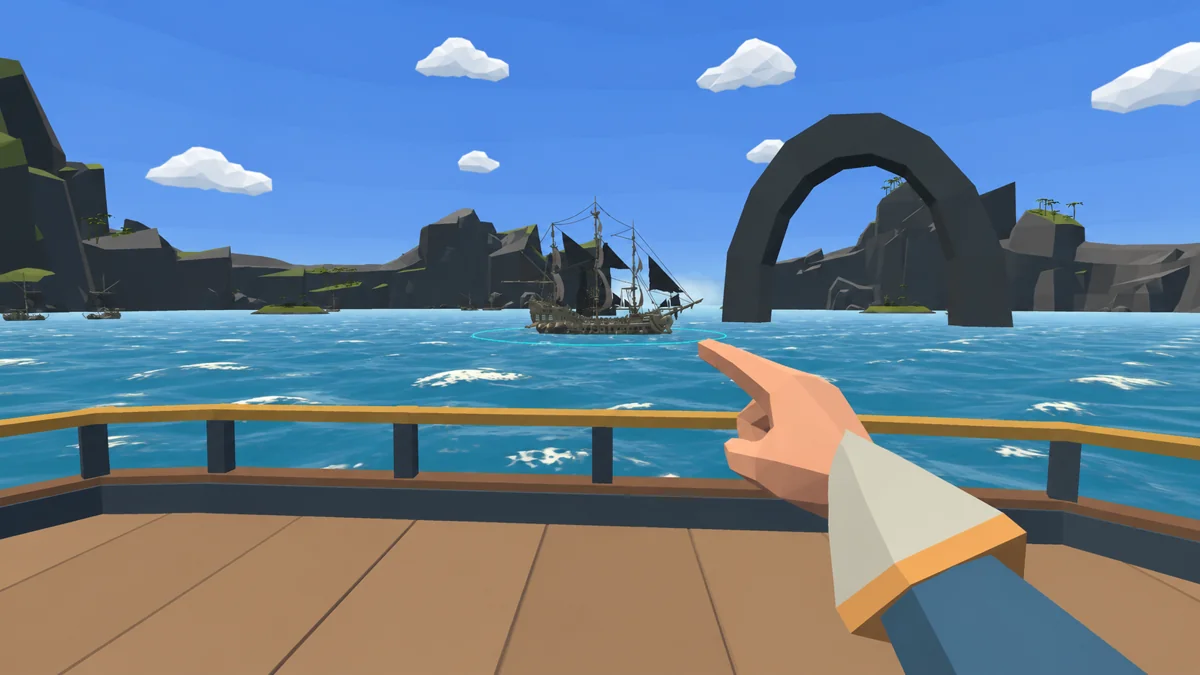
Point
With your right hand free, point towards the enemy ship. Aim assist selects the hull near the centre of your aim. The cyan ring identifies your current target.
The cyan ring lets you confirm the target before opening the menu.
02
Open the ring
Pull the trigger to open the command ring. Choose Attack to designate the target. Follow is a navigation order without opening fire and requires the Navigator at the helm. Info displays target details.
Use the options below the text to explore what each command does.
Designates the enemy as the target. Gunners aim at it and the Navigator can manoeuvre if at the helm.
Follows the target without firing. Put the Navigator at the helm first.
Shows information such as target condition and distance.
03
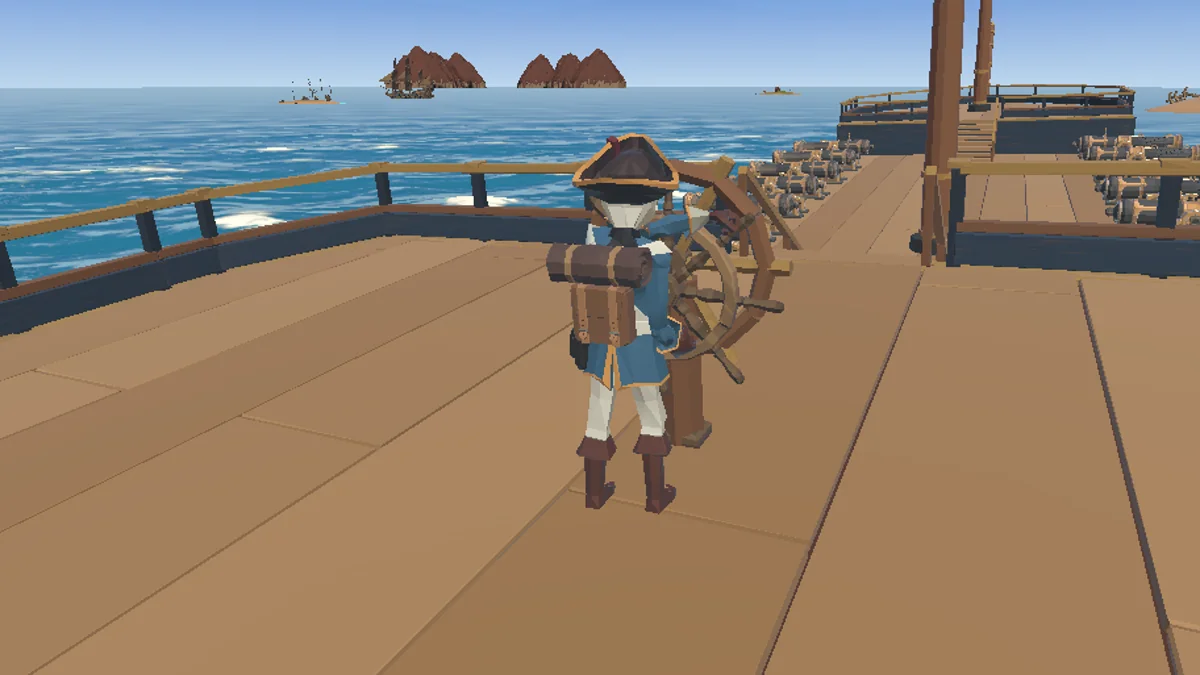
Give crew orders
You can also point at a friendly crew member. The ring changes with the target and shows the orders available for that role. Gunners need to be at their stations to attack. With the Navigator at the helm, they can manoeuvre during combat.
The target changes the context. Pointing at the Navigator shows orders for that role.